Stopping and Restarting Repeat Medication
Stopping Medication
To stop medication:
- From the Patient Summary screen select Medication
 .
. - Select a drug to display the summary.
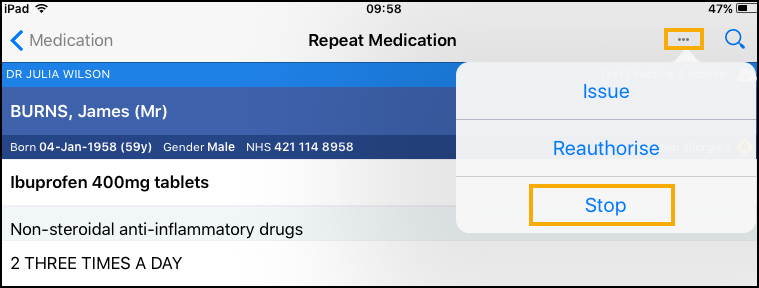
- Select More - Stop:
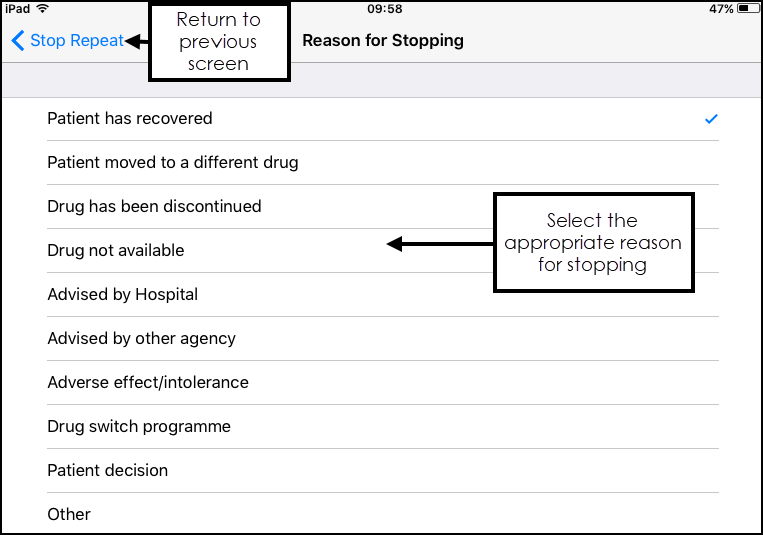
- The Stop Repeat screen displays, select the Arrow to display Reasons for Stopping and select from the list available:
- Enter any notes in Notes and select Stop Now:
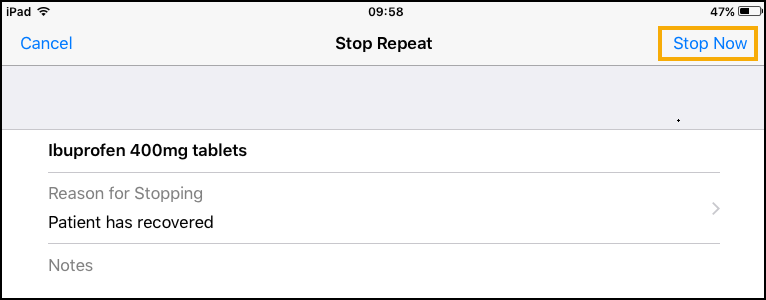
The medication is now inactivate.
Restarting Medication
To restart medication:
- From the Patient Summary screen, select Medication .
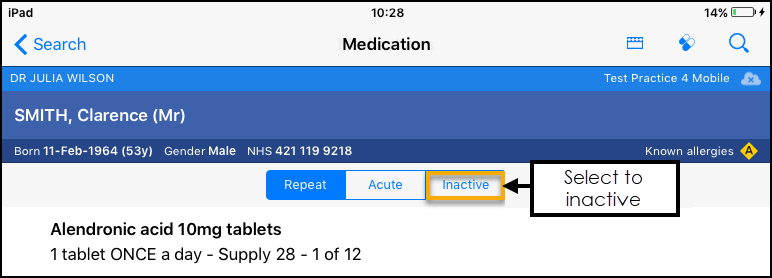
- Select the Inactive heading to view inactive medication:
- Select the medication you want to restart.
- Select More
 and then Restart: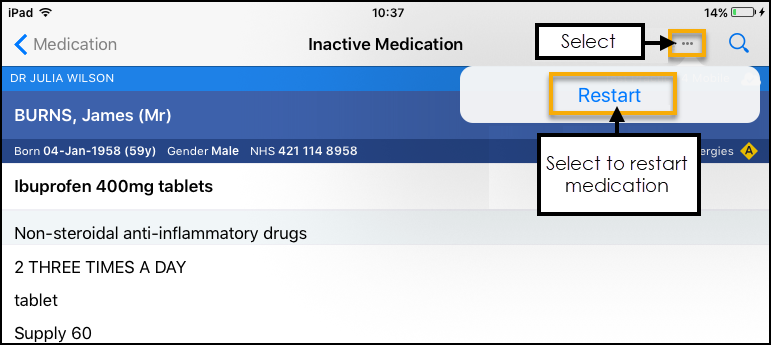
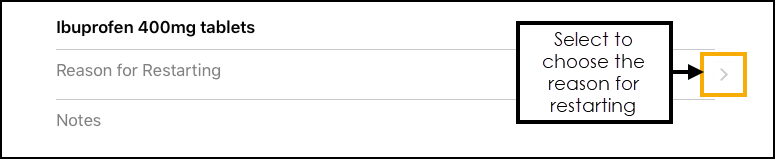
- Select the arrow to choose the reason for restarting.
- Select the reason, and a tick displays:
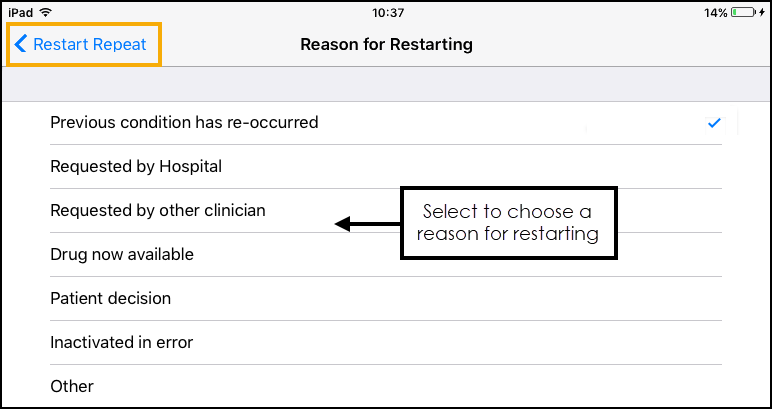
- Select Restart Repeat.
- Select Continue to proceed:
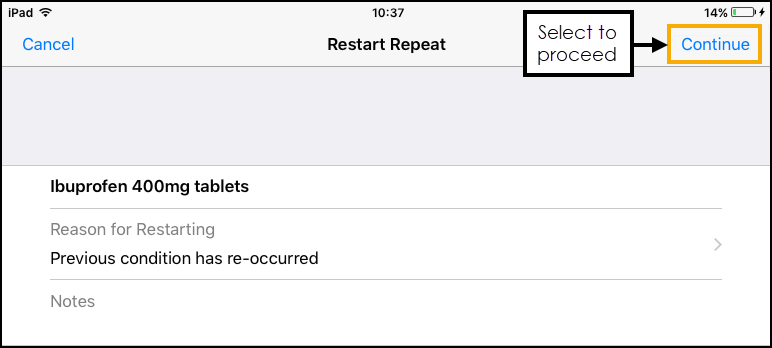
- The drug warnings display. Check these and if you want to proceed select Restart:
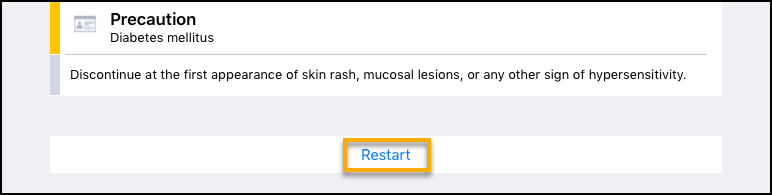
- A message displays while the medication is restarted:
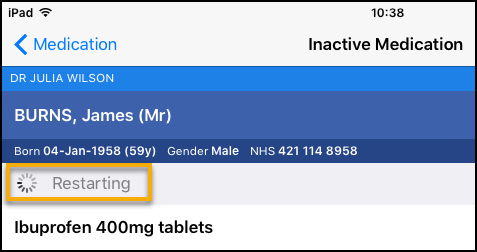
The medication now displays on the Active medication screen.
Important - Please be aware, Vision Anywhere only displays Medication from the last 2 years.
See Issuing Repeat Medication and Reauthorising Medication for details.

